
 08:10
08:10Built for Telegram channels
Automate your Telegram content.Build the day visually.
Plan photos, videos, circle videos, audio, texts, and AI captions in reusable blocks.
Choose the cadence, preview the full day, then let TgSetter publish it automatically.
9:41●◒▰
Northstar Cryptochannel preview
Today
08:10Running the desk from Palawan this week. Same charts, better light.
08:10
BTC held the 4H support overnight. Nothing to do — the plan does not change on a green candle.
08:27Weekly market note1:12
08:41Full breakdown of the ETH setup is in the pinned post. Questions in the chat.
08:42
Reusable blocks
Photos, video, audio, and text
Natural timing ranges
Whole-day Telegram preview
The manual-posting problem
Your content day should not live in reminders.
Posting one item at a time makes consistency fragile. Build the operating day once, then keep control without hovering over Telegram.
Stop switching between folders, notes, and alarms.
Stop rebuilding the same daily sequence by hand.
Know what is queued, sent, skipped, or failed.
Morning block09:00—09:30
Photo + AI captionReady
MotivationQueued
Circle videoQueued
ReminderQueued
Natural gap2–4 min
Visual automation
Build your Telegram day visually
Use the same spatial Automation canvas as the product. Arrange real blocks, open their sequence, and verify the exact time range in Timeline.
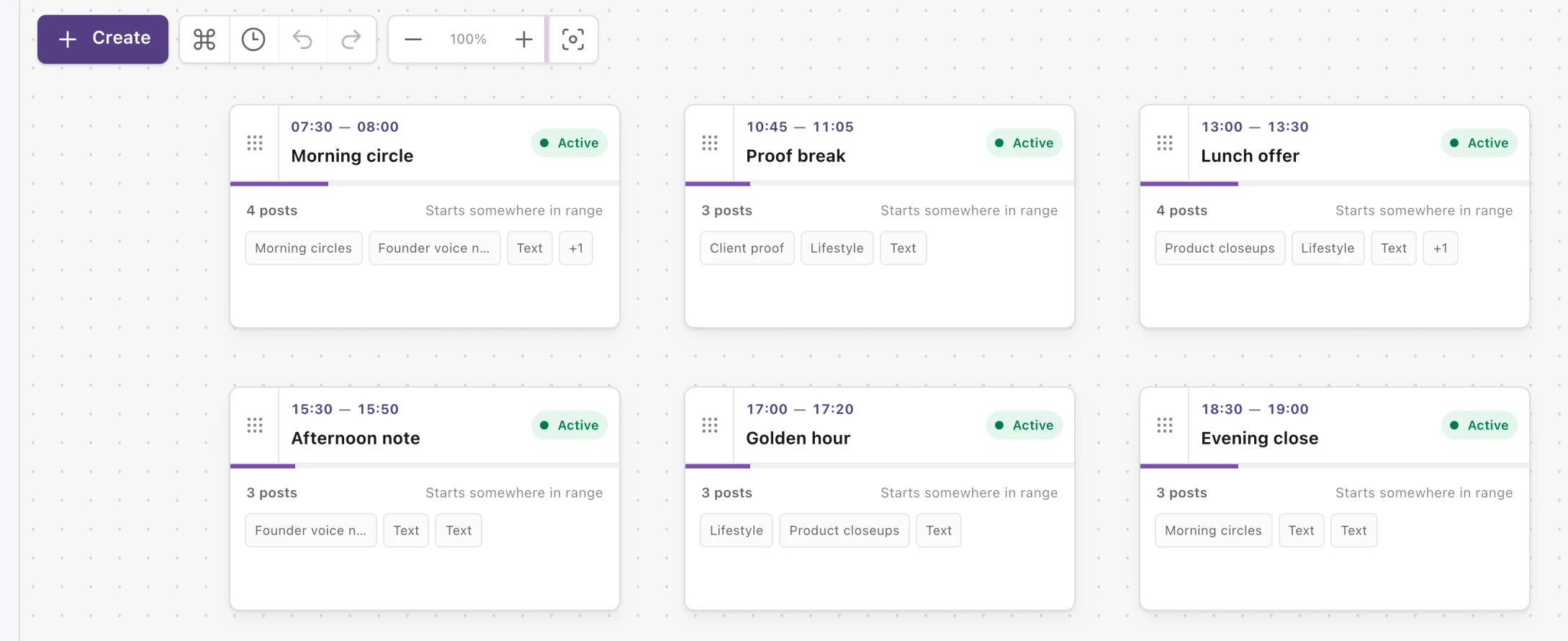
Drag blocks and content sources
Pan, zoom, and arrange by time
Keep canvas position separate from posting time
Drag and play
Drag. Drop. Done.
Create blocks, add content, reorder posts, and tune natural gaps without technical scheduling syntax.
Morning4 postsOffer3 posts
Blocks
Reuse a morning, offer, or reminder sequence across your operating day.
PhotosCircle videoAudio
Content sources
Upload once, then build with the same photo, video, audio, and text folders everywhere.
Photo2–4 minCTA15–20 minReminder
Flexible cadence
Set a range like 2–4 minutes. The actual day uses a time inside that range.
AI captions
Teach AI the style you already use
Choose a media post, explain the goal, add rules or examples, and generate a caption before saving the setup to that post.
- 1Choose media
- 2Set the goal
- 3Add rules and examples
- 4Generate
- 5Use AI caption
Real AI Caption Studio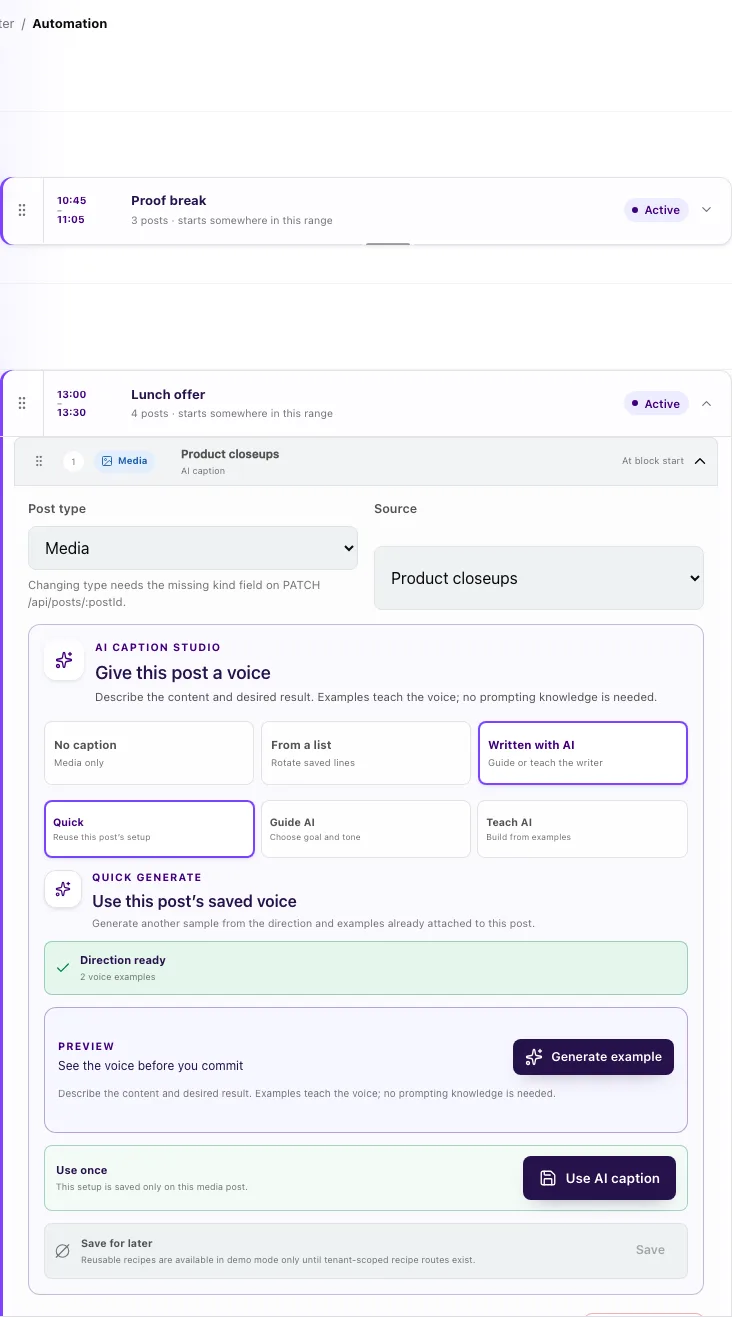
Telegram preview
See the day where people will read it
Review the channel in Telegram’s familiar conversation layout on a real phone—not as another dashboard. Check the media, caption, order, and send time before automation starts.
- Telegram channel message layout
- Photos, captions, audio, and text together
- Preview remains read-only and never sends
9:41●◒▰
Northstar Cryptochannel preview
Today
08:10Running the desk from Palawan this week. Same charts, better light.
08:10BTC held the 4H support overnight. Nothing to do — the plan does not change on a green candle.
08:27Weekly market note1:12
08:41Full breakdown of the ETH setup is in the pinned post. Questions in the chat.
08:42One operating system
Organize once. Know what happens next.
Upload once. Build everywhere.
Keep photos, videos, circle videos, audio, and text lists in reusable tenant-scoped sources.
Know what is happening.
See sent, queued, skipped, failed, next-post, channel, and media health from the operating views.
Connect without the clutter.
Connect a Telegram channel, add content, build the automation, preview it, and turn it on.
Keep the day natural.
Randomized posting gaps add timing variation while every block stays inside the range you set.
How it works
From content folder to published day
A clear six-step flow for channel operators and content teams.
1Connect Telegram
2Add your content
3Build your day
4Add AI captions
5Preview
6Automate
FAQ
Questions before you automate
No. The builder uses visual blocks, content pickers, and plain-language timing controls.
Build tomorrow’s Telegram day today.
Put the content, timing, captions, and preview in one visual workflow.